Things You Don't Need to Know about Tanzu Platform — Capabilities/Profiles
· 17 min read
I'll be writing up the content about the latest product, Tanzu Platform, that felt too maniacal to blog about. As a caveat: everything from here on is stuff you "don't need to know".
This time, I explain Capabilities / Profiles. This article assumes an understanding of KCP/Kine.
APIs available in a Space, Capabilities and Profiles
As shown in the picture below from KCP/Kine, resources defined in a Space or ClusterGroup are reflected to the opposite k8s via the Syncer.
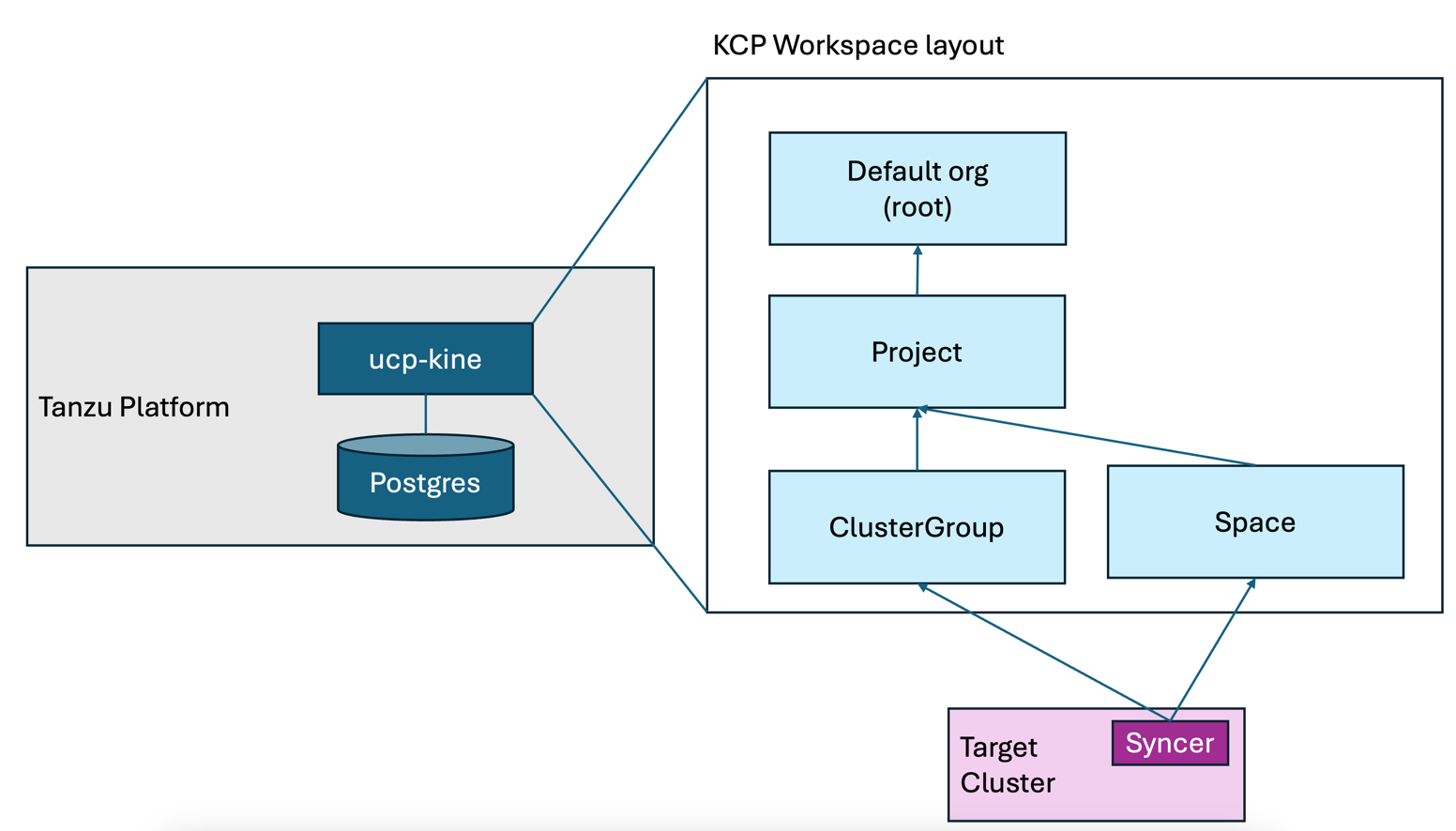
The list of available APIs here can be checked by switching workspaces and running kubectl api-resources.
The point is that you cannot run just anything from a Space. So what do you do when an API is missing?
For ClusterGroups, I have yet to find a way to customize the API list. For Spaces, however, customization is possible. And that brings us to what I personally consider the gauntlet of understanding TP — the headquarters of "what on earth is this" — Capabilities and Profiles.
This is what you can see in the TP GUI:
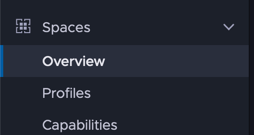
Explained with KCP concepts in mind, they provide:
- Profiles : the way to add APIs to a Space workspace
- Capabilities : based on Carvel's Package Management, responsible for installing and defining APIs; referenced by Profiles
Let's look a little closer.
Using Capabilities and Profiles to manipulate k8s Services from a Space
From a regular Space workspace, the core/v1 Service commonly used in Kubernetes is not defined. The following command fails, as expected:
% tanzu space use
# pick any space
% kubectl get svc
error: the server doesn't have a resource type "svc"
Here we'll use a Profile and Capabilities to control K8s Services from a Space, attempting to understand Capabilities along the way.
Registering a home-made Capability
With zero official support, we'll register a home-made Capability with Tanzu Platform. The package information lives here:
Code: https://github.com/mhoshi-vm/tp-k8s-service-from-space
Container image: https://github.com/mhoshi-vm/tp-k8s-service-from-space/pkgs/container/tp-k8s-service-from-space
These are built on Carvel's Package Management, but that strays from the theme so I'll skip the explanation.
Switch to TP and enter the project workspace first:
tanzu project use tpadmin
Now register the home-made package:
tanzu package repository add tp-k8s-service-from-space --url ghcr.io/mhoshi-vm/tp-k8s-service-from-space:latest
It's kubectl, but you can confirm the registration:
% kubectl get pkgr
NAME                        AGE   DESCRIPTION
tap-saas-sha256-e989369     14d   Ready
tp-k8s-service-from-space   4s    Ready
% kubectl get package | grep "k8s-service.*0.0.1"
k8s-service-capability.tanzu.japan.com.0.0.1
In this state, looking at [Spaces] > [Capabilities] > [Available] in the TP GUI, you can see one named K8s Service Capabilites.
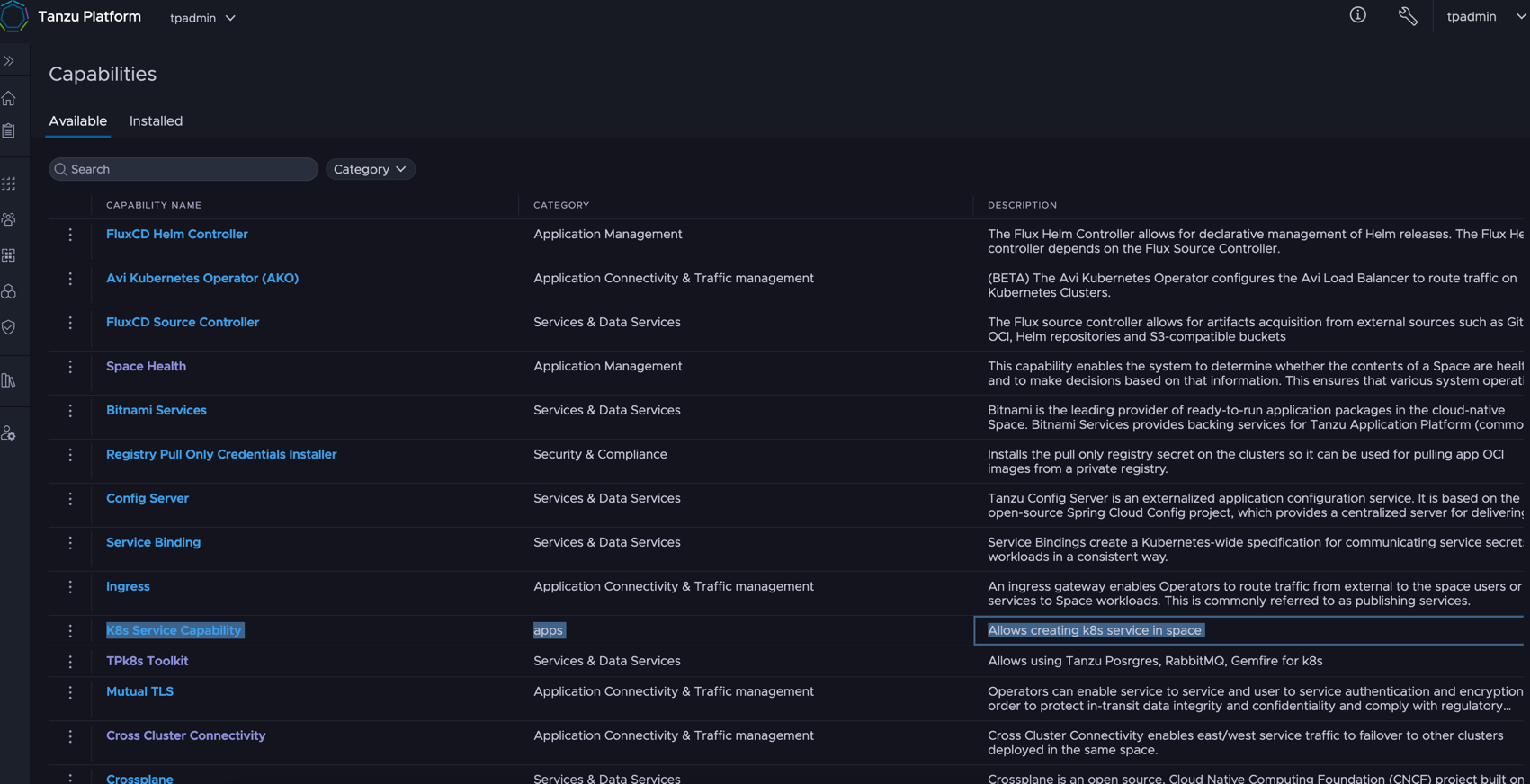
Let's look at the code:
This information is reflected into the TP GUI — registered as a Capability — by referencing the JSON in the kind: Package annotations.capability.tanzu.vmware.com/provides.
Conversely, without this annotation it never appears in the TP GUI. Also important: groupVersionKinds lists which APIs you want exposed to the Space.
Not needed in this case, but when adding 3rd-party APIs, you also define the installation of required controllers and the like in the template.
Installing the home-made Capability onto a ClusterGroup
Install the Capability onto a ClusterGroup. Switch to the ClusterGroup workspace with the command below. You'll be prompted to pick which ClusterGroup to install to.
tanzu operations clustergroup use
After switching workspaces, prepare the home-made Capability install with the command below.
You might think it's the same command as under tanzu project use, but at the time of writing no Syncer is defined for the Project workspace, so it never reaches the actual opposite K8s.
Running it on the ClusterGroup is what reflects it to the actual opposite K8s.
tanzu package repository add tp-k8s-service-from-space --url ghcr.io/mhoshi-vm/tp-k8s-service-from-space:latest
At the time of writing the output after running looks like the following, but you can assume it worked fine:
% kubectl get pkgr
NAME                        AGE    DESCRIPTION
tp-k8s-service-from-space   18s    Not Ready: the server could not find the requested resource (get packages.data.packaging.carvel.dev)
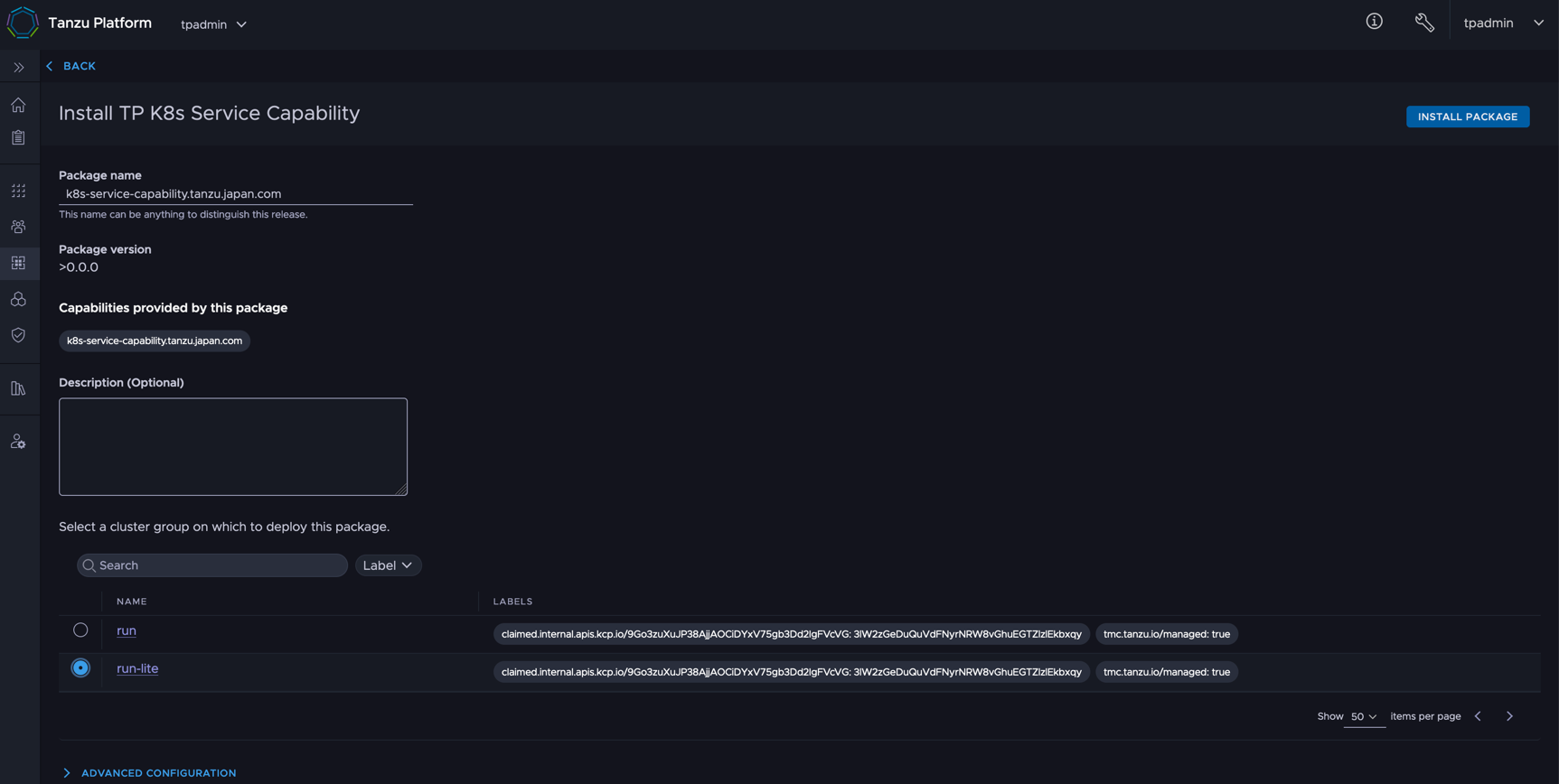
Now select K8s Service Capabilites in [Spaces] > [Capabilities] > [Available]:
Run Install Package at the top right:
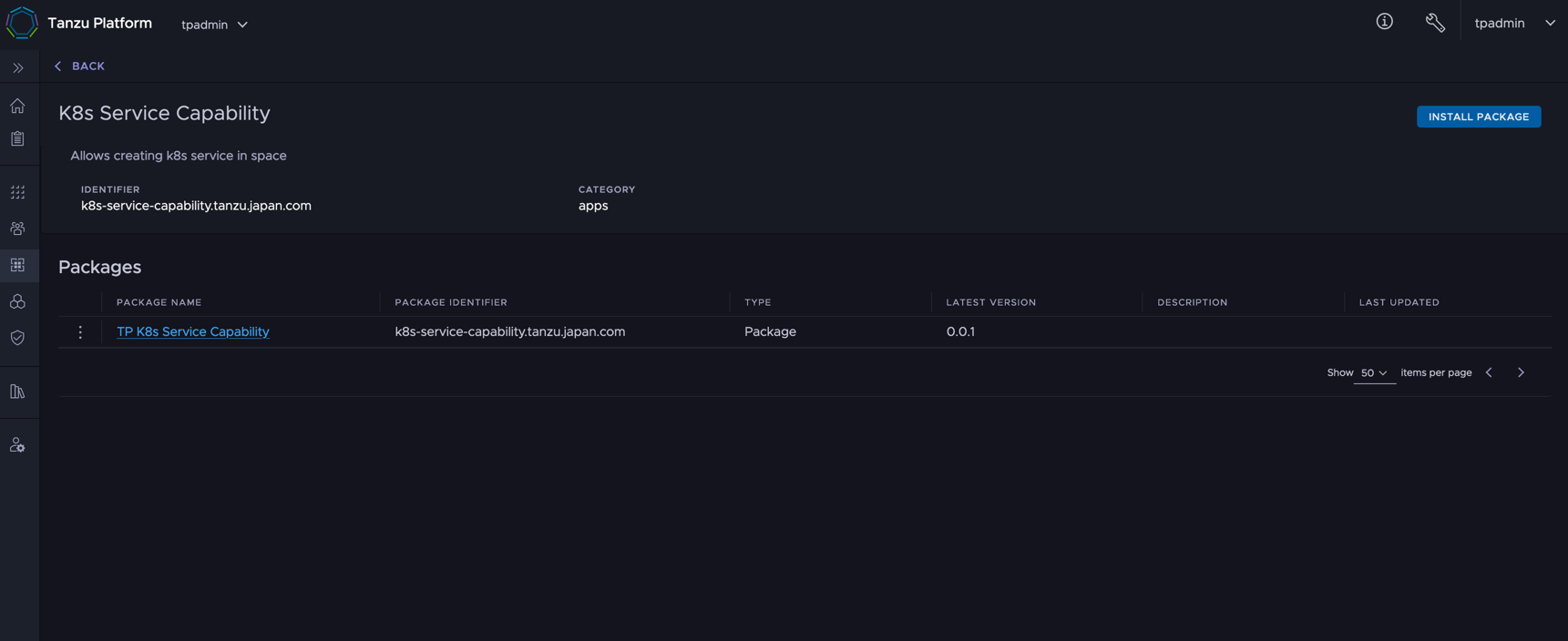
At "Select a cluster group on which to deploy the package", pick the target cluster and run Install Package:
Creating the Profile
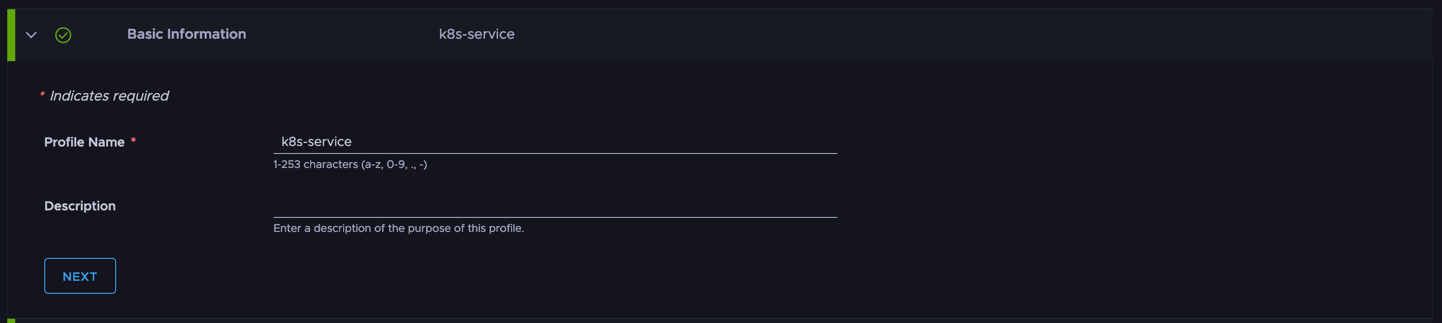
To make the API visible to Spaces, create a Profile that includes the Capability installed above. From [Spaces] > [Profiles], select [Create Profiles].
Any name works; here I use k8s-service.
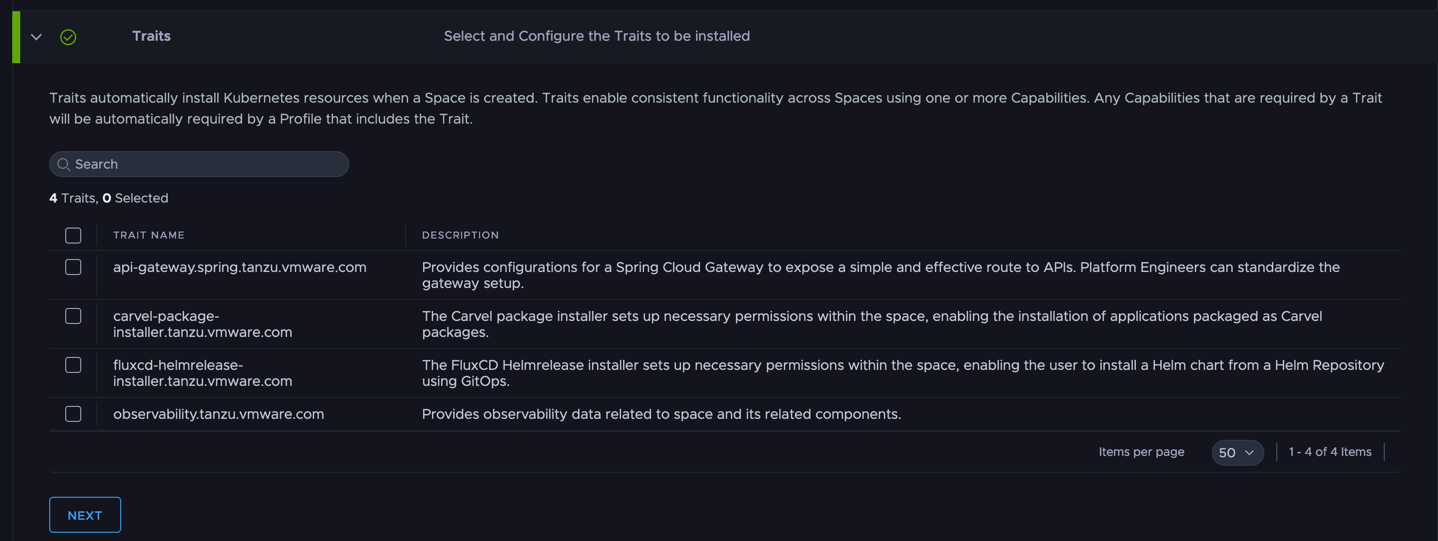
Ignore Traits for now. Maybe a separate article.
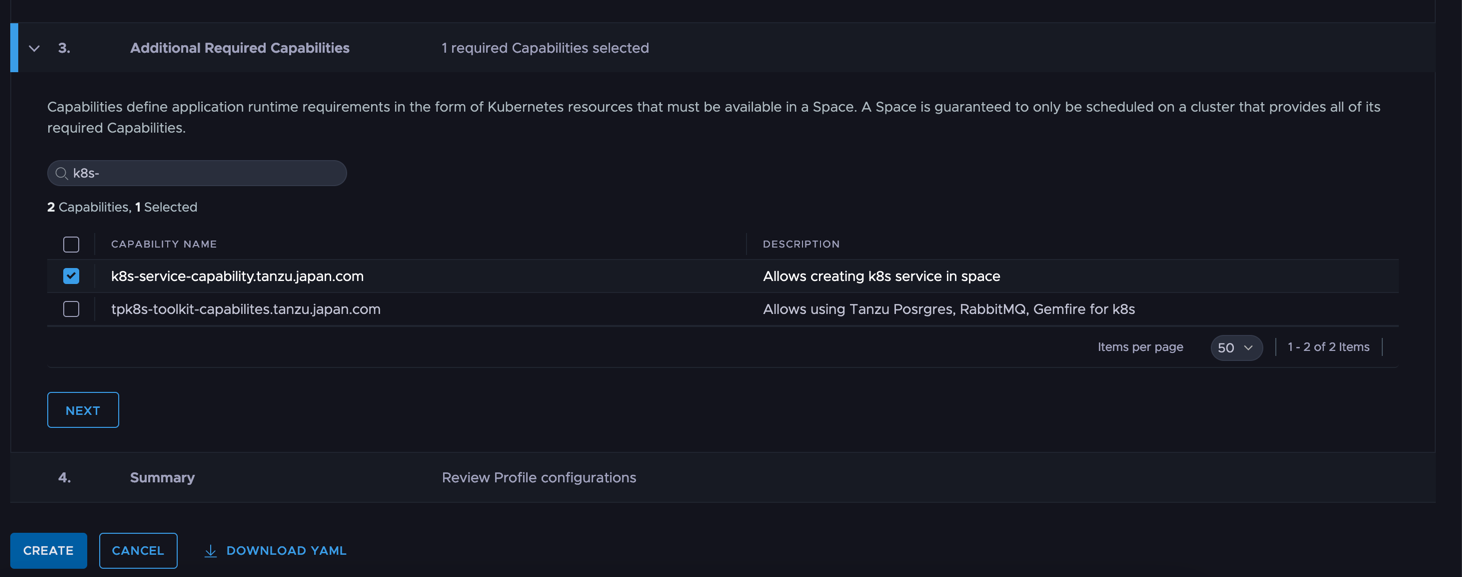
Under Capabilities, register the home-made Capability. Then run Create.
Creating the Space / creating the K8s Service
The preparations are finally done, so let's create a Space and an actual k8s service.
Select [Spaces] > [Overview] > [Create Space]. For Space Profiles, choose the Profile created above. AvailabilityTarget can be the usual setting.
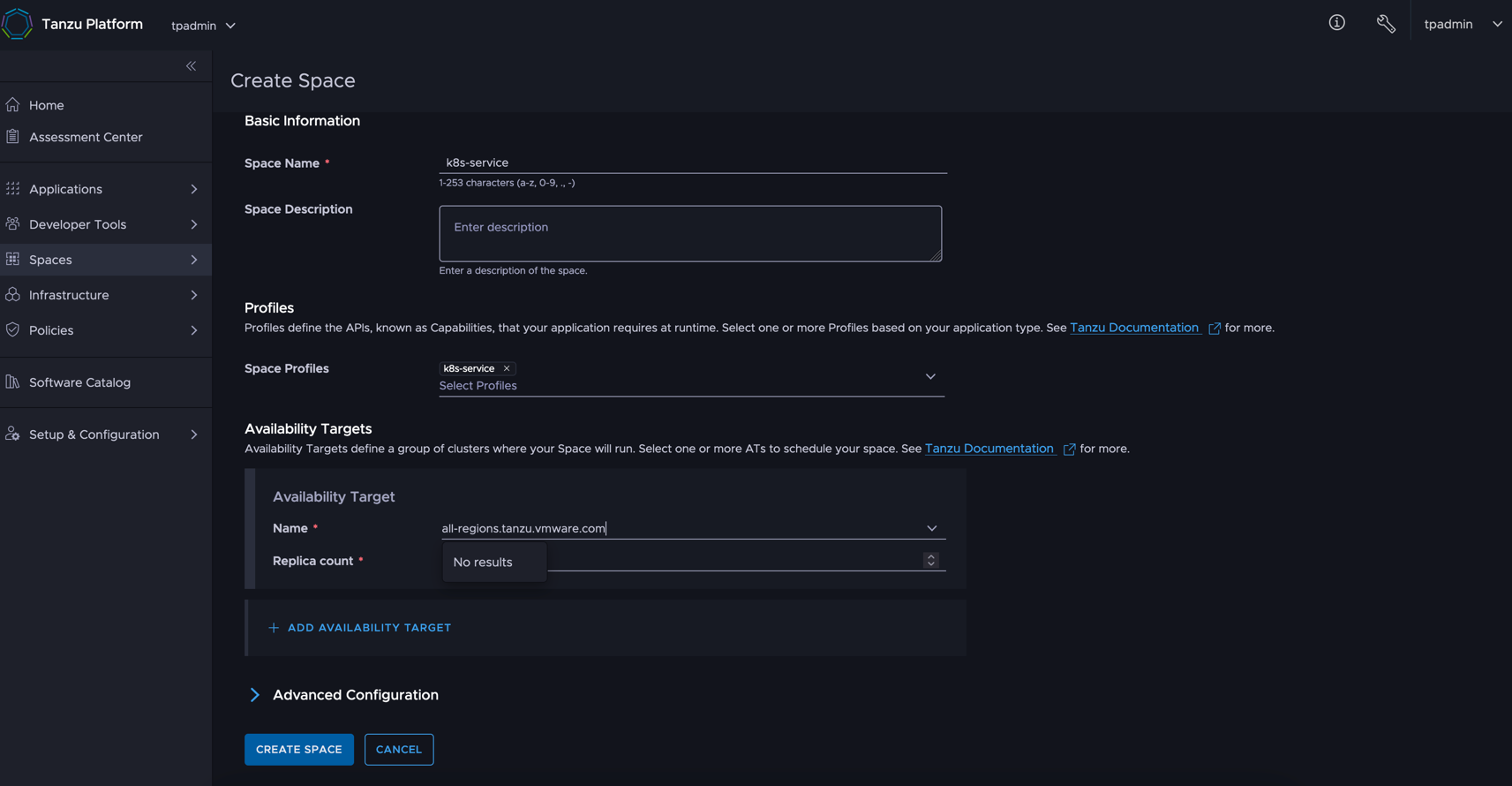
From here it's CLI. Switch to the space workspace:
tanzu space use k8s-service
Peek at the API list. You'll see Services APIs lined up that normally don't exist:
% kubectl api-resources
NAME                        SHORTNAMES   APIVERSION                     NAMESPACED   KIND
configmaps                               v1                             true         ConfigMap
events                                   v1                             true         Event
limitranges                              v1                             true         LimitRange
resourcequotas                           v1                             true         ResourceQuota
secrets                                  v1                             true         Secret
serviceaccounts                          v1                             true         ServiceAccount
services                    svc          v1                             true         Service <<< note <<<<<<<<<<<<<<<<<<<<<<<<<<<<
localsubjectaccessreviews                authorization.k8s.io/v1        true         LocalSubjectAccessReview
selfsubjectaccessreviews                 authorization.k8s.io/v1        false        SelfSubjectAccessReview
selfsubjectrulesreviews                  authorization.k8s.io/v1        false        SelfSubjectRulesReview
subjectaccessreviews                     authorization.k8s.io/v1        false        SubjectAccessReview
events                                   events.k8s.io/v1               true         Event
clusterrolebindings                      rbac.authorization.k8s.io/v1   false        ClusterRoleBinding
clusterroles                             rbac.authorization.k8s.io/v1   false        ClusterRole
rolebindings                             rbac.authorization.k8s.io/v1   true         RoleBinding
roles                                    rbac.authorization.k8s.io/v1   true         Role
syncresourcesets            srs          ucp.tanzu.vmware.com/v1        true         SyncResourceSet
Now let's create a Type: LoadBalancer k8s service:
kubectl create svc loadbalancer hoge --tcp=8080:8080
It should complete after a moment. On plain k8s, creating a Type: LoadBalancer shows the endpoint connection info in .status.loadBalancer — but here nothing is shown:
% kubectl get svc hoge -o yaml
apiVersion: v1
kind: Service
metadata:
  annotations: {}
  creationTimestamp: "2025-01-21T08:44:59Z"
  generation: 1
  labels:
    app: hoge
  name: hoge
  namespace: default
  resourceVersion: "1426062"
  uid: eafa02f8-3042-41f8-bd2b-35338b0de673
spec:
  ports:
  - name: 8080-8080
    port: 8080
    protocol: TCP
    targetPort: 8080
  selector:
    app: hoge
  type: LoadBalancer
status:
  loadBalancer: {} <<< note <<<<<<<<<<<<<<<<<<<<<<<<<<<<<<
In TP, statuses on the opposite cluster can be seen via the Sync Resource Set (SRS):
% kubectl get srs -o yaml
Looking at the actual output, the Type: LoadBalancer execution result and endpoint are displayed here:
status:
...
    data:
      tp-wk1:
        k8s-service-7f7ff58bf8-mmr9t:
          hoge:
            results:
              .metadata.annotations:
                agent.tanzu.vmware.com/clusterpath: root:c957a32b-b30c-21f7-95e1-f22cffe0eecf:dc7d70e1-d928-4bb2-88f5-ac0fc25c8524:k8s-service
                agent.tanzu.vmware.com/upstream-namespace: default
                agent.tanzu.vmware.com/upstream-uid: eafa02f8-3042-41f8-bd2b-35338b0de673
                kcp.io/cluster: j1f1tjgos93ryang
              .metadata.creationTimestamp: "2025-01-21T08:45:40Z"
              .metadata.generation: 1
              .metadata.labels:
                agent.tanzu.vmware.com/syncer-selector: txbta4fvbvkhprrg7xb7ejeo6owkcmmhaeqa3jukk7klxfspxtla....h
                app: hoge
              .metadata.name: hoge
              .metadata.namespace: k8s-service-7f7ff58bf8-mmr9t
              .metadata.resourceVersion: "10359689"
              .metadata.uid: 942dd0f2-27b1-4dd0-8f5f-5827891c70f4
              .status:
                loadBalancer:
                  ingress:
                  - ip: 192.168.251.49   <<< note <<<<<<<
                    ipMode: VIP
If you have the opposite K8s kubeconfig, you can confirm a Type: LoadBalancer was created showing the same IP address:
% export KUBECONFIG=<Deploy Cluster Kubeconfig>
% kubectl get svc -o yaml -n k8s-service-7f7ff58bf8-mmr9t
apiVersion: v1
items:
- apiVersion: v1
  kind: Service
  metadata:
    annotations:
      agent.tanzu.vmware.com/clusterpath: root:c957a32b-b30c-21f7-95e1-f22cffe0eecf:dc7d70e1-d928-4bb2-88f5-ac0fc25c8524:k8s-service
      agent.tanzu.vmware.com/upstream-namespace: default
      agent.tanzu.vmware.com/upstream-uid: eafa02f8-3042-41f8-bd2b-35338b0de673
      kcp.io/cluster: j1f1tjgos93ryang
    creationTimestamp: "2025-01-21T08:45:40Z"
    finalizers:
    - service.kubernetes.io/load-balancer-cleanup
    generation: 1
    labels:
      agent.tanzu.vmware.com/syncer-selector: txbta4fvbvkhprrg7xb7ejeo6owkcmmhaeqa3jukk7klxfspxtla....h
      app: hoge
    name: hoge
    namespace: k8s-service-7f7ff58bf8-mmr9t
    resourceVersion: "10359689"
    uid: 942dd0f2-27b1-4dd0-8f5f-5827891c70f4
  spec:
    allocateLoadBalancerNodePorts: true
    clusterIP: 10.96.168.56
    clusterIPs:
    - 10.96.168.56
    externalTrafficPolicy: Cluster
    internalTrafficPolicy: Cluster
    ipFamilies:
    - IPv4
    ipFamilyPolicy: SingleStack
    ports:
    - name: 8080-8080
      nodePort: 32057
      port: 8080
      protocol: TCP
      targetPort: 8080
    selector:
      app: hoge
    sessionAffinity: None
    type: LoadBalancer
  status:
    loadBalancer:
      ingress:
      - ip: 192.168.251.49 <<< note <<<<<<<
        ipMode: VIP
kind: List
metadata:
  resourceVersion: ""
This is a very simple K8s Service example, but once you understand this mechanism, you can keep adding missing APIs to a space for automation purposes. That said — as the title says, this is stuff you "don't need to know": development is proceeding so that customers fundamentally don't need such customization, so it's best to customize in moderation.
That was the explanation of Capabilities/Profiles.