Trying Tanzu Platform Self Managed — For Admins: Slimming Down the Deploy Target
· 7 min read
Let's try the on-prem edition of the latest product, Tanzu Platform.
With TP's default ClusterGroup run, the Kubernetes install target ends up needing quite a lot of resources.
This time, let's slim it down.
Series
- Installation
- For admins: Project setup
- For users: Deploying to a Space
- Here> For admins: Slimming down the deploy target
- For admins: Enabling HTTPS
- For admins: Automatic DNS registration
Bonus: The "Things You Don't Need to Know about Tanzu Platform" series
Resources of the default run Cluster Group
Below is the resource reservation of the Run ClusterGroup with no applications deployed at all (more than this amount is always required). Most striking is the memory reservation, which comes to about 10GB.

In this state, deploying even one app maxes out the resources, making a second and subsequent applications difficult to deploy.
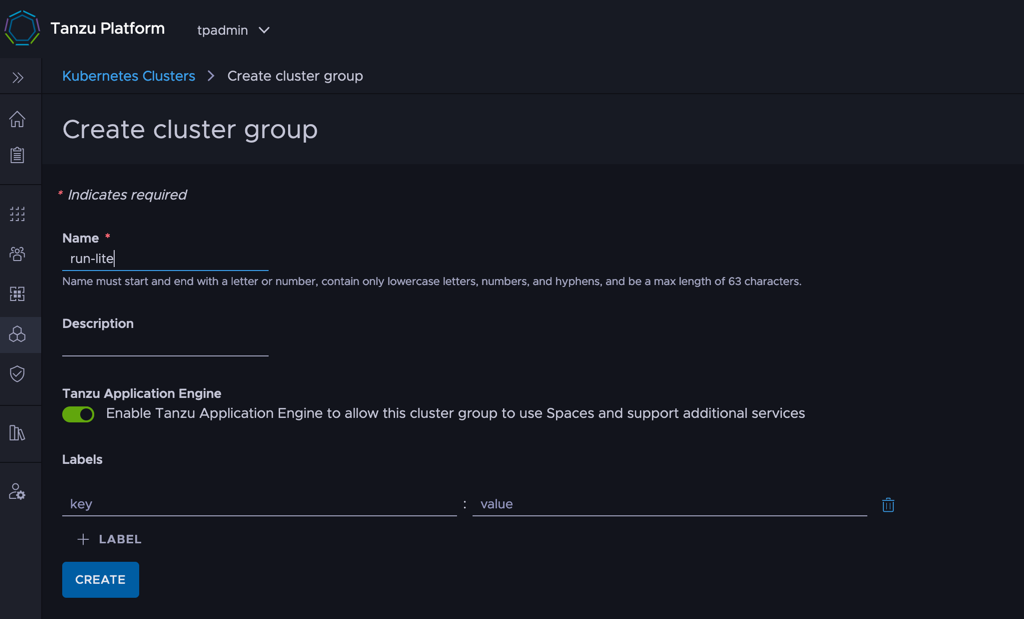
Creating a run-lite ClusterGroup
So let's create a cluster group aiming for something lighter, called run-lite.
Select [ Infrastructure ] > [ Kubernetes Clusters ] > [ Cluster Groups ] > [ ADD Cluster Group ] and create run-lite.
Installing Packages onto run-lite
Now specify the packages installed by default on run-lite.
You could do it one by one from [ Space ] > [ Capabilities ], but the CLI way is simpler, so we'll base this on that.
First, target the run-lite cluster group:
tanzu operations clustergroup use run-lite
Next, install the packages. To keep it simple I prepared this git repository: https://github.com/mhoshi-vm/tp-run-lite
Apply with:
git clone https://github.com/mhoshi-vm/tp-run-lite
cd tp-run-lite/clustergroup
tanzu deploy --only .
That's it — and here's a comparison of run-lite versus run:
| run | run-lite | Notes | |
|---|---|---|---|
| bitnami.services.tanzu.vmware.com | ○ | Loses bitnami create-service, but removed due to high resource consumption | |
| cert-manager.tanzu.vmware.com | ○ | ○ | |
| container-apps.tanzu.vmware.com | ○ | ○ | |
| controller.build.tanzu.vmware.com | ○ | Needed for platform builds. Not in regular run, but added for simplicity | |
| crossplane.tanzu.vmware.com | ○ | Loses bitnami create-service, but removed due to high resource consumption | |
| egress.tanzu.vmware.com | ○ | ○ | |
| health.spaces.tanzu.vmware.com | ○ | ○ | |
| horizontal-autoscaling.tanzu.vmware.com | ○ | ○ | |
| ingress.tanzu.vmware.com | ○ | ○ | |
| k8sgateway.tanzu.vmware.com | ○ | ○ | |
| mtls.tanzu.vmware.com | ○ | ○ | |
| observability.tanzu.vmware.com | ○ | ○ | |
| servicebinding.tanzu.vmware.com | ○ | ○ | |
| spring-cloud-gateway.tanzu.vmware.com | ○ | High memory consumption and SCG isn't usually used anyway, so removed | |
| tanzu-servicebinding.tanzu.vmware.com | ○ | ○ | |
| tcs.tanzu.vmware.com | ○ | △ | High resource consumption but required by other features, so registered with reduced resources |
The last one, tcs.tanzu.vmware.com, is used to install istiod, but this Hack keeps its resource consumption down.
In particular, the Replica count is set to 1, so note that fault tolerance is reduced.
Registering a cluster with run-lite
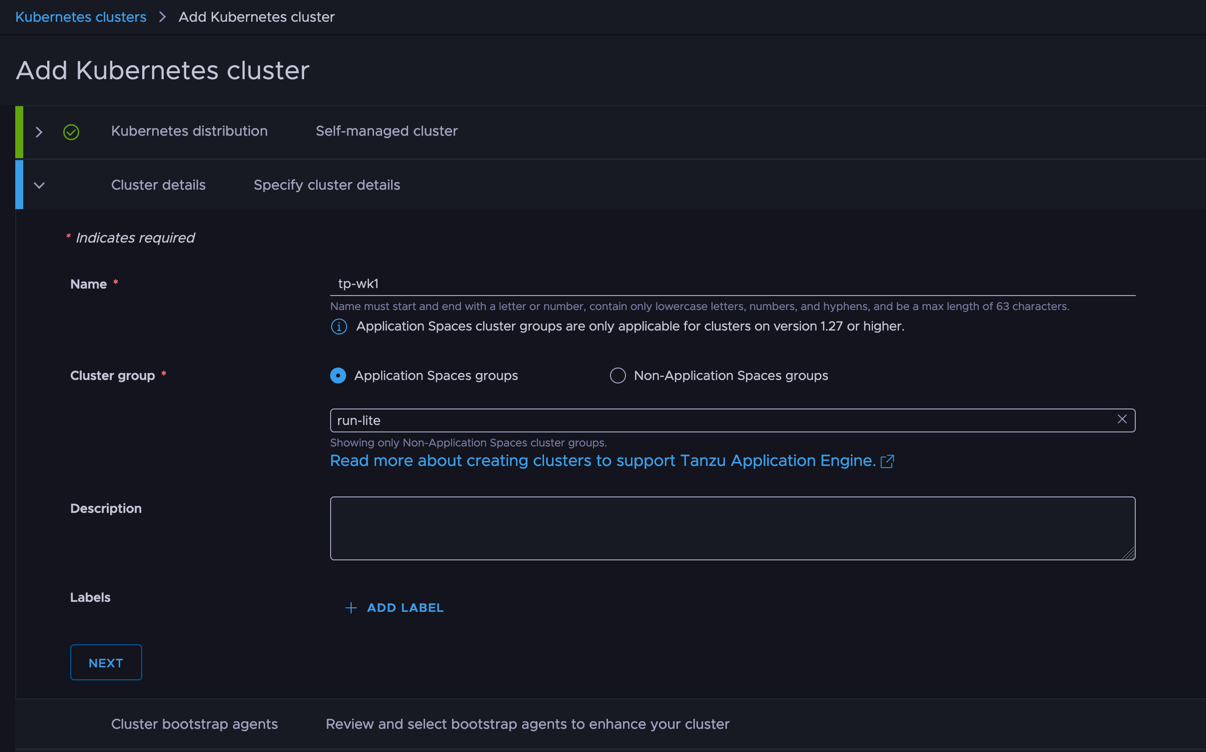
Now register a k8s cluster with run-lite.
Unfortunately, moving a cluster already registered with run over to run-lite isn't possible at the time of writing.
Either prepare a new cluster, or detach the current one and re-attach it.
This can be done from [ Infrastructure ] > [ Kubernetes Clusters ].
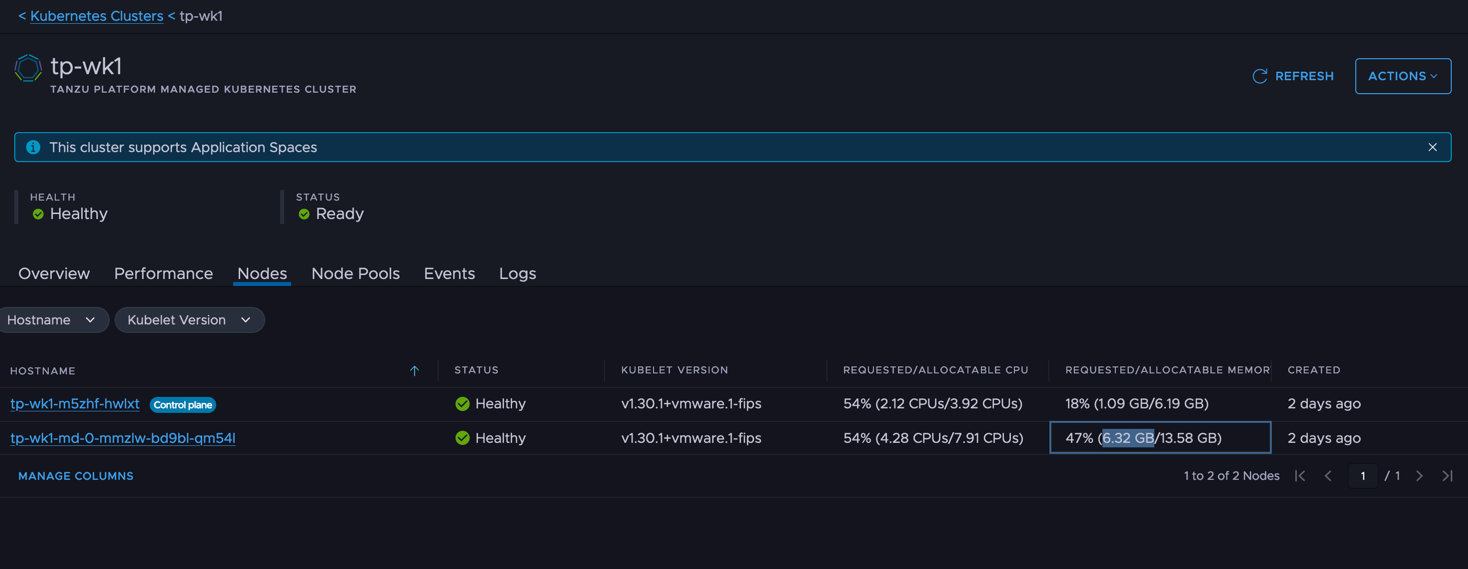
Resource usage of run-lite
Noticeably lower — memory in particular is around 6.5 GB.
Deploying applications
From here on it's regular application deployment.
Just deploy to a Space based on the apps.tanzu.vmware.com profile as usual.
See the previous article.
That covers slimming down the deploy target.