Tanzu Application Platform から Amazon ECS へデプロイをする
· 5 分で読めます
コンテナといったらKubernetes 、というわけではなく、Amazon ECS を多く利用している人もいると思います。 この記事では、Tanzu Application Platform (以後TAP)から Amazon ECS へデプロイする方法を紹介してみます。
なんでこんな記事を書いたか
TAPという製品を使うことで開発効率を高める期待があるものの、Kubernetesを前提としているため、Kubernetesの運用がなれていないと逆にハードに感じるケースが多くあるかと思います。 また、ユーザーからのフィードバックからもAmazon ECSを利用しているパターンが増えているように感じています。
TAPのSupplyChainは多くのカスタマイズができます。そこで、以下のような図からTAPをあくまでビルドでのみ利用して、Amazon ECSへのデプロイができないか思った次第です。
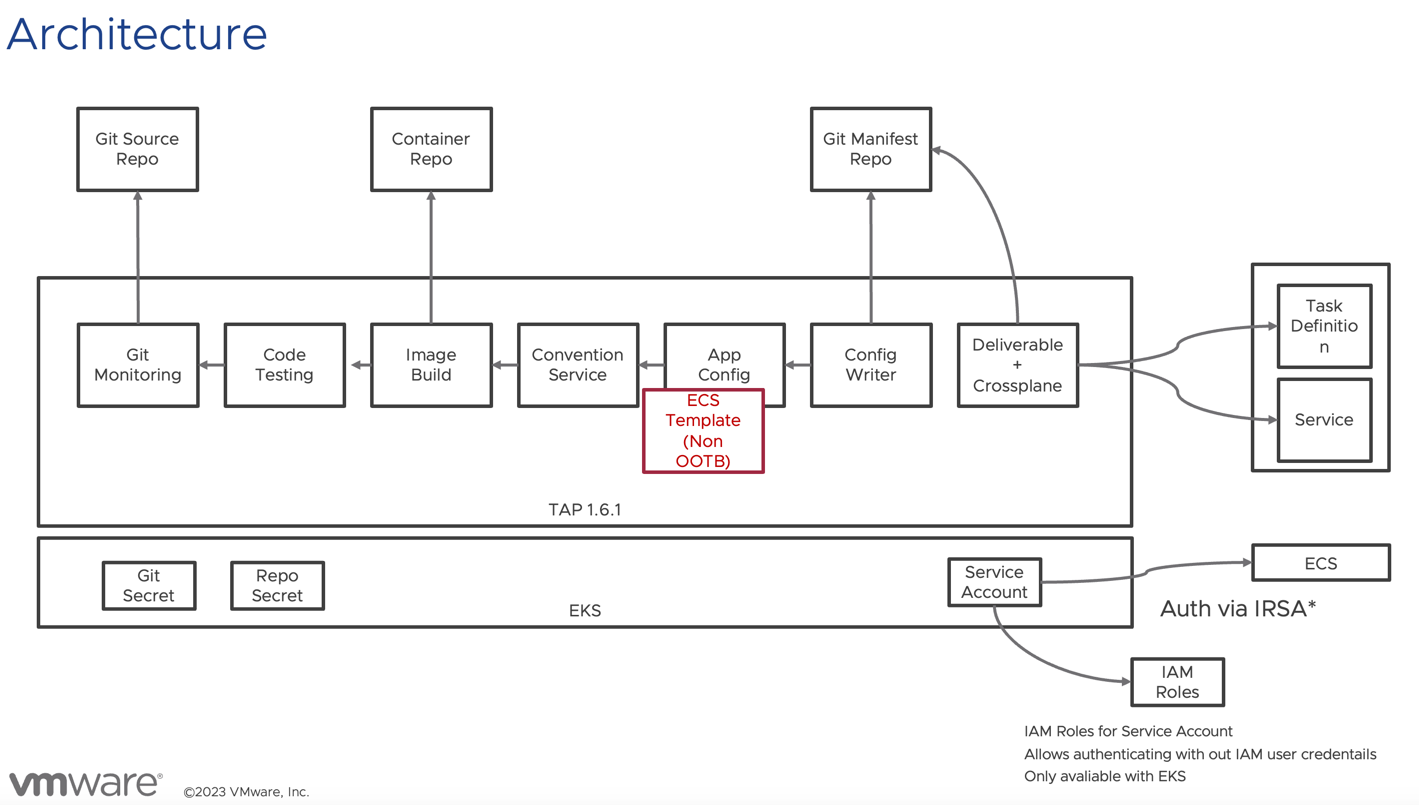
なお、このアーキテクチャ図を完成させる上で、TAP側で二つ重要なアップデートがございました。
- TAP 1.4 でサプライチェーンを全て定義せずとも、最後のClusterConfigTemplateだけを差し替えることのできる機能が登場した。 これにより、最小限のカスタマイズでサプライチェーンの変更ができるようになりました。 https://docs.vmware.com/en/VMware-Tanzu-Application-Platform/1.4/tap/workloads-server.html#define-a-workload-type-that-exposes-server-workloads-outside-the-cluster-5
- TAP 1.5 から Crossplane がサポートされるようになった。CrossplaneをつかうことでKubernetes からAWS,今回のでいえばECSを管理できるようになります。
これを今回検証目的でつくってみました。
注意
以後の手順は、あくまでコンセプトを試す目的で作ったものです。決して、プロダクションとして準備ができているものではないので、どのベンダーからも一切の保証がないことを注意してください。
準備
以下を準備してください。
- Amazon EKS
- Tanzu Application Platform 1.7.2 (でテスト済み)
- Amazon ECR, EC2, ELB2 に更新可能なIAM Role (*あまりに複雑になってしまったので別記事で詳細を取り上げる予定)
デモコンテンツのインストール
以下のようなやり方で用意しました。まずパッケージレポジトリーを追加してください。
tanzu package repository add ghcr-mhoshi \
  --url ghcr.io/mhoshi-vm/tap-carvel:latest  -n tap-install
その後、以下のような ecs-supply-chain.yaml を用意します。
aws:
  accountId: <account>
  alb:
    subnets:
      - <alb用subnet>
  cluster: <ecsクラスタ名>
  ecs:
    subnets:
      - <ecsサブネット>
  region: <region>
  vpcId: <vpc>
backstage:
  workload:
    deploy: false
以下のコマンドで適用します。
tanzu package install tap-ecs -p tap-ecs-supplychain.tanzu.japan.com -v 1.7.1 --values-file ecs-supply-chain.yaml -n tap-install
tap-values に以下を追記します。(ootb_supply_chain_testing_scanning はTAPのインストール方法によって変わります)
ootb_supply_chain_testing_scanning:
  supported_workloads:
    - cluster_config_template_name: config-template
      type: web
    - cluster_config_template_name: server-template
      type: server
    - cluster_config_template_name: worker-template
      type: worker
    - cluster_config_template_name: ecs-template
      type: ecs
インストール後、以下のようにecs-template が有効になっていることを確認します。
kubectl get clusterconfigtemplate ecs-template
Warning: Use tokens from the TokenRequest API or manually created secret-based tokens instead of auto-generated secret-based tokens.
NAME           AGE
ecs-template   5m8s
サンプルデプロイ
tanzu apps workload apply \
  -n demo \
   --app ecs-test \
  --type ecs \
  --git-repo https://github.com/mhoshi-vm/volume-mount-convention \
  --git-branch main \
  --param cluster="hoge" \
  --build-env BP_JVM_VERSION=17 \
  --label apps.tanzu.vmware.com/has-tests=true \
> test
デプロイ後の状態
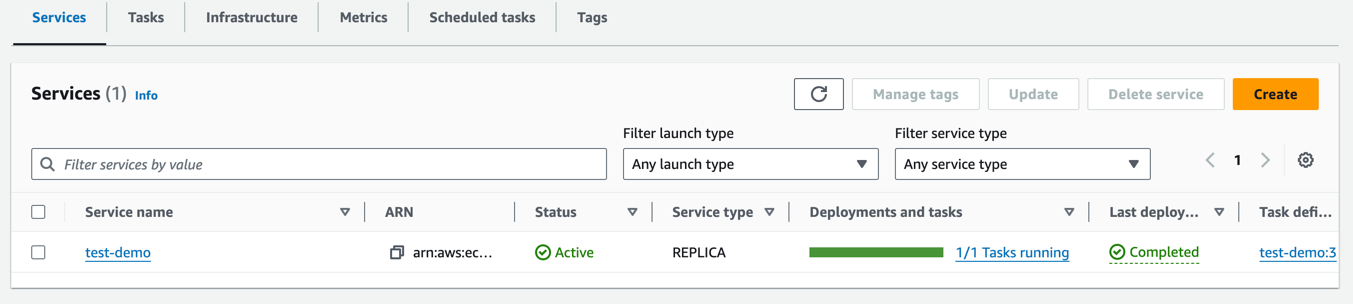
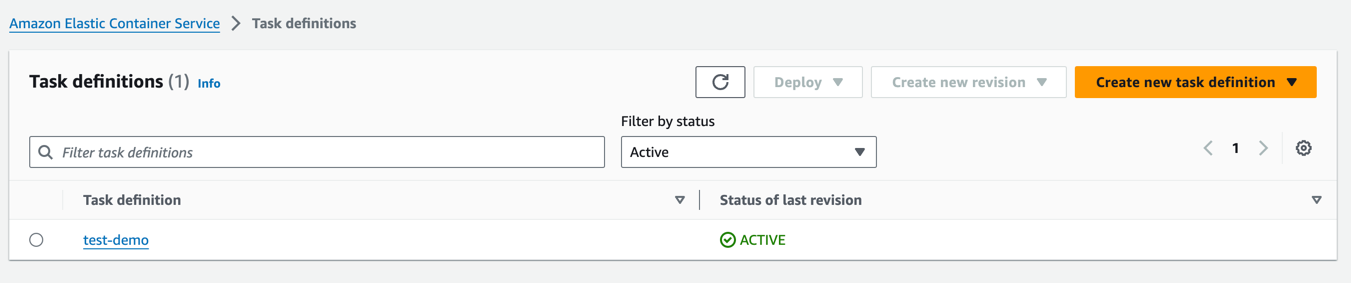
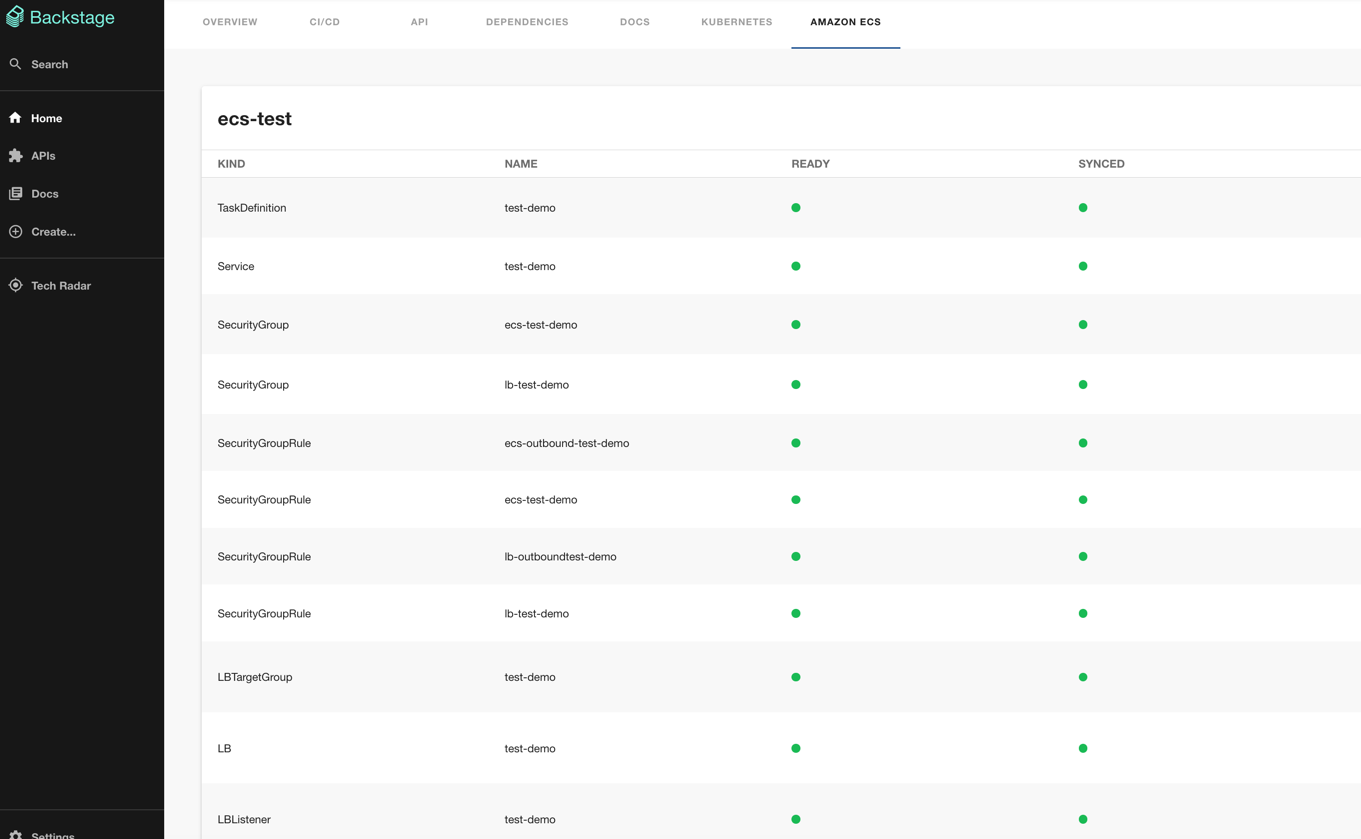
今別件で開発中のBackstageのUIだと以下のように映ります。
https://github.com/mhoshi-vm/backstage-crossplane-aws