Integrating SonarQube Testing with Tanzu Buildpacks
· 8 min read
You can also combine SonarQube static code analysis with a Tanzu Java Buildpack build.
Introduction
Rather than the Tanzu Java Buildpack itself, it's kpack that offers all kinds of customization. As covered in this post, 3rd-party integrations are possible too.
Strictly speaking, this is enabled by the Cloud Native Buildpacks feature called Bindings:
https://paketo.io/docs/buildpacks/configuration/#what-is-a-binding
This time let's play with it a bit more and invoke SonarQube static code analysis via maven during a Tanzu Build Service image build.
https://docs.sonarqube.org/latest/analysis/scan/sonarscanner-for-maven/
Environment
Tanzu Build Service 1.1.1
SonarQube lives on the same Kubernetes as TBS. The setup is just installing this Helm chart:
https://github.com/Oteemo/charts/tree/master/charts/sonarqube
In commands:
kubectl create ns sonar
helm repo add oteemocharts https://oteemo.github.io/charts
helm install sonar oteemocharts/sonarqube -n sonar
Trying it
Let's try it quickly. We use kpack's Service Bindings feature, introduced in this post:
https://github.com/pivotal/kpack/blob/master/docs/servicebindings.md
And what we invoke this time is the maven paketo-buildpack:
https://github.com/paketo-buildpacks/maven
Get a token on the SonarQube side
Get a token from the SonarQube UI. Not much of a procedure, so I'll skip it.
Create the Image resource
Create a YAML file like the one below. Change the value of tag to match your environment.
apiVersion: kpack.io/v1alpha1
kind: Image
metadata:
  name: spring-petclinic-sonar
spec:
  builder:
    kind: ClusterBuilder
    name: default
  source:
    git:
      revision: main
      url: https://github.com/spring-projects/spring-petclinic
  tag: <REPO>/<LIBRARY>/<IMAGE>
  build:
    env:
    - name: "BP_MAVEN_BUILD_ARGUMENTS"
      value: "-Dmaven.test.skip=true verify sonar:sonar"
    bindings:
    - name: settings
      secretRef:
        name: settings-xml
      metadataRef:
        name: settings-binding-metadata
---
apiVersion: v1
kind: Secret
metadata:
  name: settings-xml
type: Opaque
stringData:
  settings.xml: |
    <settings>
        <pluginGroups>
            <pluginGroup>org.sonarsource.scanner.maven</pluginGroup>
        </pluginGroups>
        <profiles>
            <profile>
                <id>sonar</id>
                <activation>
                    <activeByDefault>true</activeByDefault>
                </activation>
                <properties>
                    <sonar.login>
                      XXXXXXXXXXXXXXXXXX
                    </sonar.login>
                    <sonar.host.url>
                      http://sonar-sonarqube.sonar.svc.cluster.local:9000
                    </sonar.host.url>
                </properties>
            </profile>
         </profiles>
    </settings>
---
apiVersion: v1
kind: ConfigMap
metadata:
  name: settings-binding-metadata
data:
  kind: maven
  provider: sonar
Change the following values for your environment. If SonarQube is on the same Kubernetes cluster as TBS and installed with the Helm chart, sonar.host.url can stay as-is; otherwise update it to the correct value. Put the token from the previous step into sonar.login.
    <sonar.login>
      XXXXXXXXXXXXXXXXXX
    </sonar.login>
    <sonar.host.url>
      http://sonar-sonarqube.sonar.svc.cluster.local:9000
    </sonar.host.url>
Apply
Apply the YAML above:
kubectl apply -f <yaml-file> -n <namespace>
That's it. Now let's check the behavior.
Checking the behavior
After a while, a successful Job shows up:
kubectl get po -n petclinic-build
NAME                                             READY   STATUS      RESTARTS   AGE
spring-petclinic-sonar-build-3-rn5gs-build-pod   0/1     Completed   0          98m
Looking at the end of the Build phase log, you can see the code analysis being sent to sonarqube:
# kubectl logs spring-petclinic-sonar-build-3-rn5gs-build-pod -n petclinic-build -c build
...
[INFO] ANALYSIS SUCCESSFUL, you can browse http://sonar-sonarqube.sonar.svc.cluster.local:9000/dashboard?id=org.springframework.samples%3Aspring-petclinic
[INFO] Note that you will be able to access the updated dashboard once the server has processed the submitted analysis report
[INFO] More about the report processing at http://sonar-sonarqube.sonar.svc.cluster.local:9000/api/ce/task?id=AXf7USO50EPOcLxf9tIV
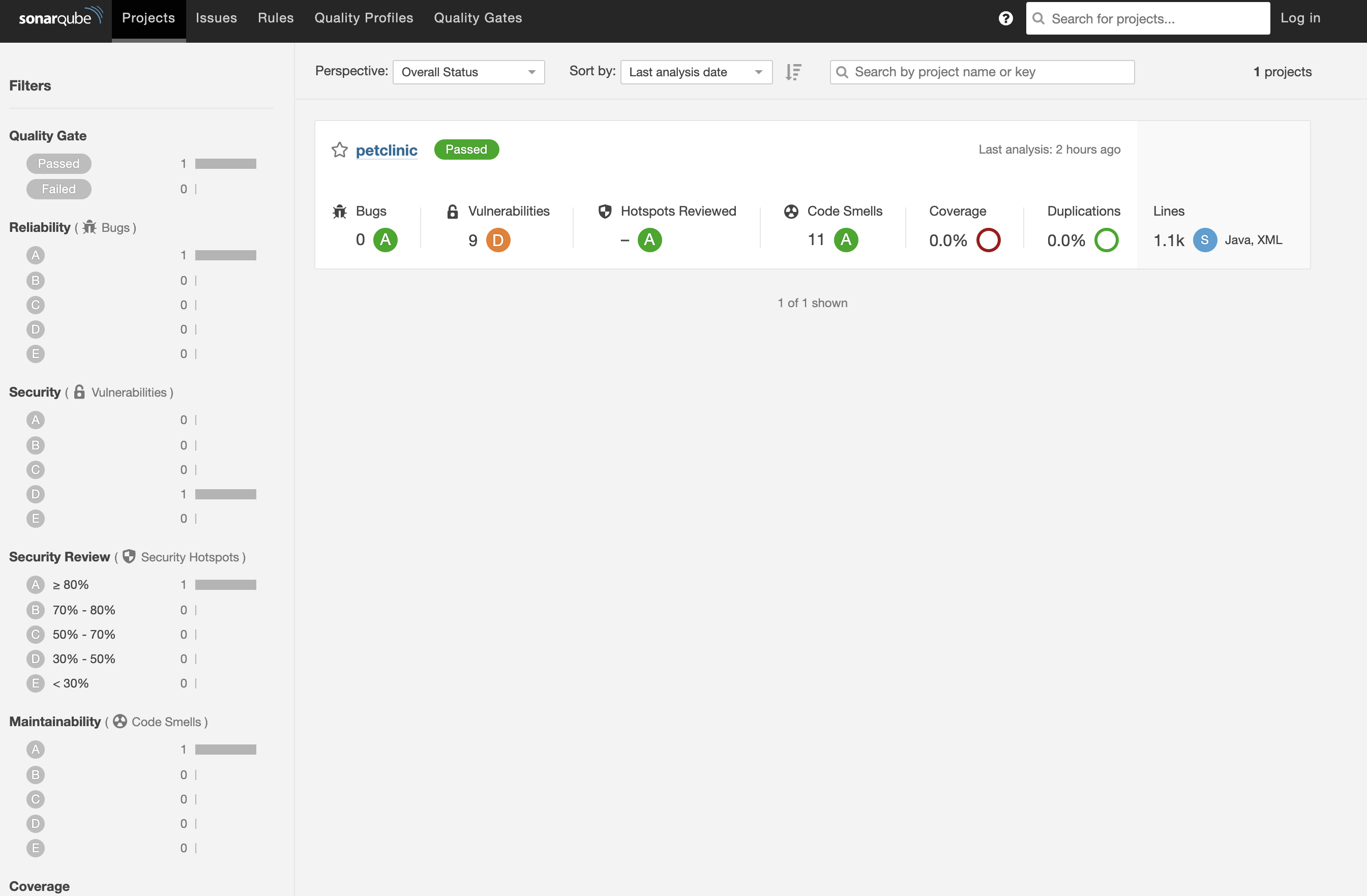
Confirm on the SonarQube side
On the SonarQube side you can indeed confirm the test ran:
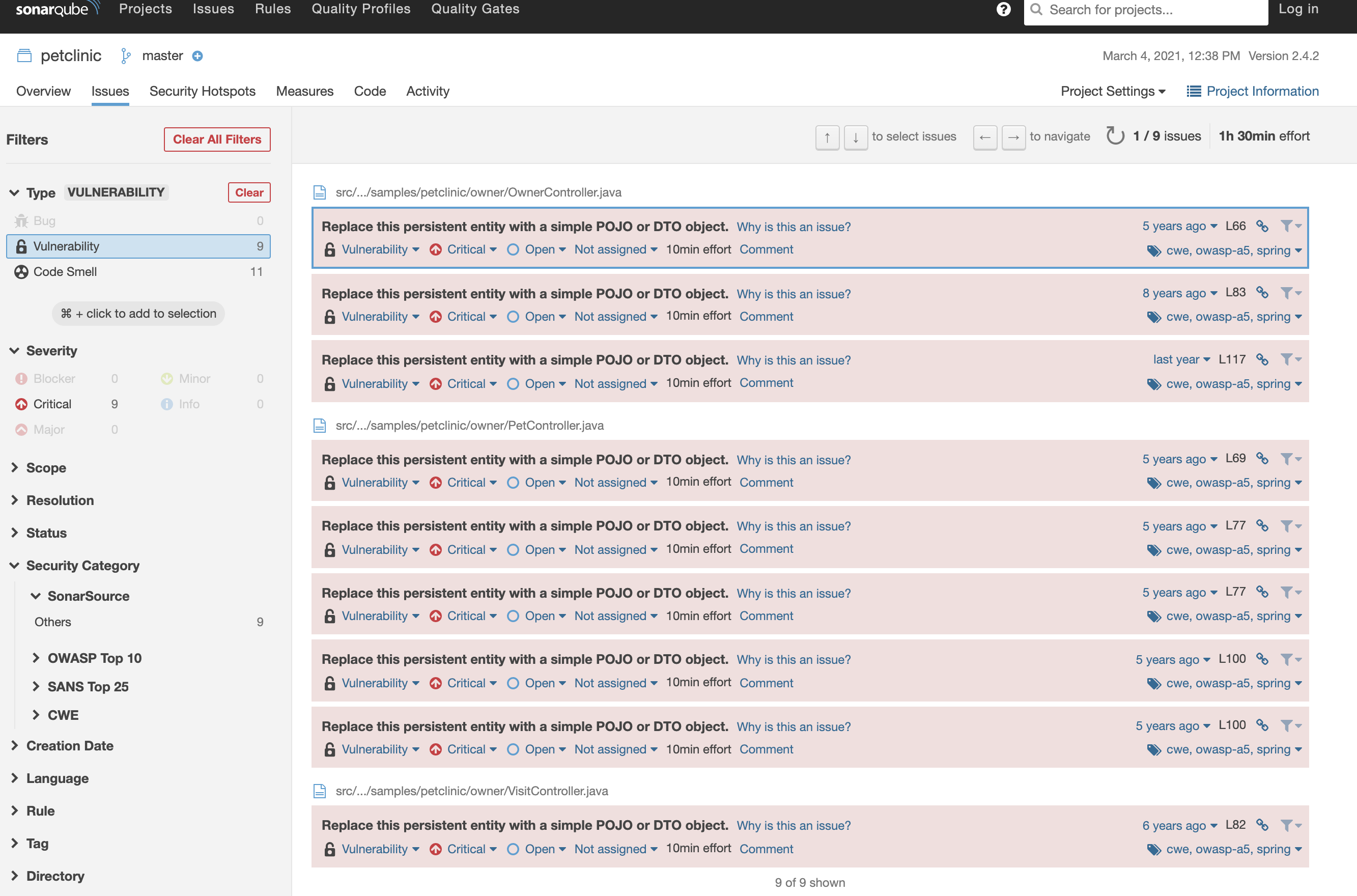
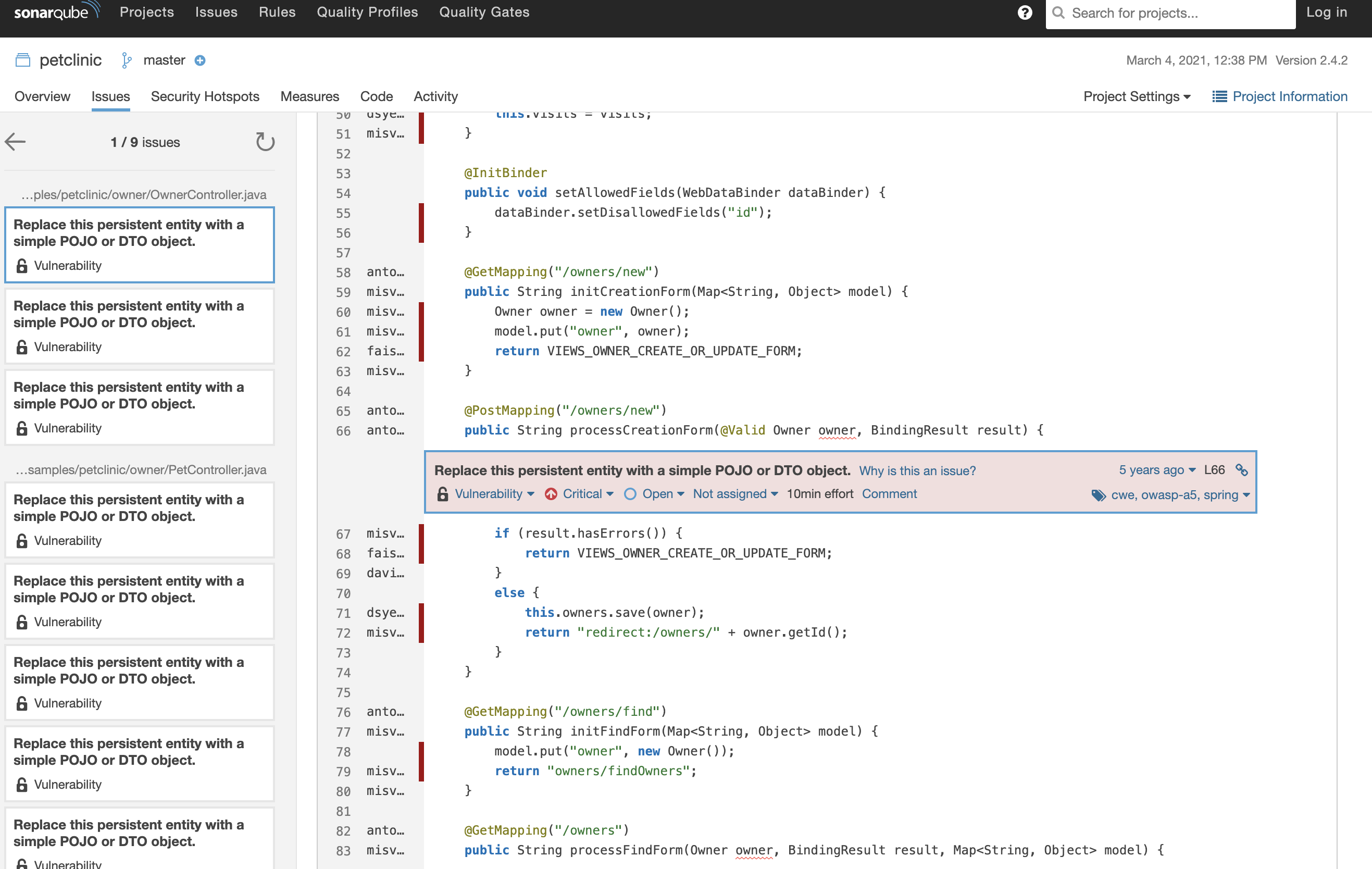
The test results are visible too:
Whether this is truly useful may be debatable, but it lets you enforce the governance rule that every image build must pass static code analysis. So-called Secure by Default.
Personally, what I liked most is how flexibly Cloud Native Buildpacks / kpack can do this kind of thing.
Summary
Combining static code analysis such as SonarQube with image builds is easy with Tanzu Buildpacks.