Forwarding Tanzu Application Service (for k8s) Distributed Traces to Wavefront
· 4 min read
Distributed traces from Tanzu Application Service (for k8s) can be forwarded to Wavefront.
Introduction
Tanzu Application Service for k8s (TAS4K8S from here on) is VMware's commercial distribution of cf-for-k8s.
As listed below, cf-for-k8s ships with Istio as its service mesh — and having Istio means distributed tracing is available.
https://github.com/cloudfoundry/cf-for-k8s/tree/develop#built-with
This post shows how to send TAS tracing data to Tanzu Observability (Wavefront).
Caution
This is not an officially supported procedure, so proceed at your own risk.
Steps
The steps are almost disappointingly simple; you basically follow the installation instructions here:
Before kicking off the TAS installation, create the following configuration-value/zipkin-url.yaml.
Replace externalName: wavefront-proxy.wavefront.svc.cluster.local with the URL where your wavefront-proxy runs.
#@ load("@ytt:data", "data")
---
apiVersion: v1
kind: Service
metadata:
  name: zipkin
  namespace: istio-system
spec:
  type: ExternalName
  externalName: wavefront-proxy.wavefront.svc.cluster.local
Next, create configuration-value/istio-distributed-tracing.yaml.
#@ load("@ytt:overlay", "overlay")

#@overlay/match by=overlay.subset({"kind": "Deployment", "metadata": {"name": "istiod"}})
---
spec:
  template:
    spec:
      containers:
      #@overlay/match by="name"
      - name: discovery
        env:
        #@overlay/match by="name"
        - name: PILOT_TRACE_SAMPLING
          value: "100"
That's it. Then install as described in the manual.
./bin/install-tas.sh ../configuration-values
Result
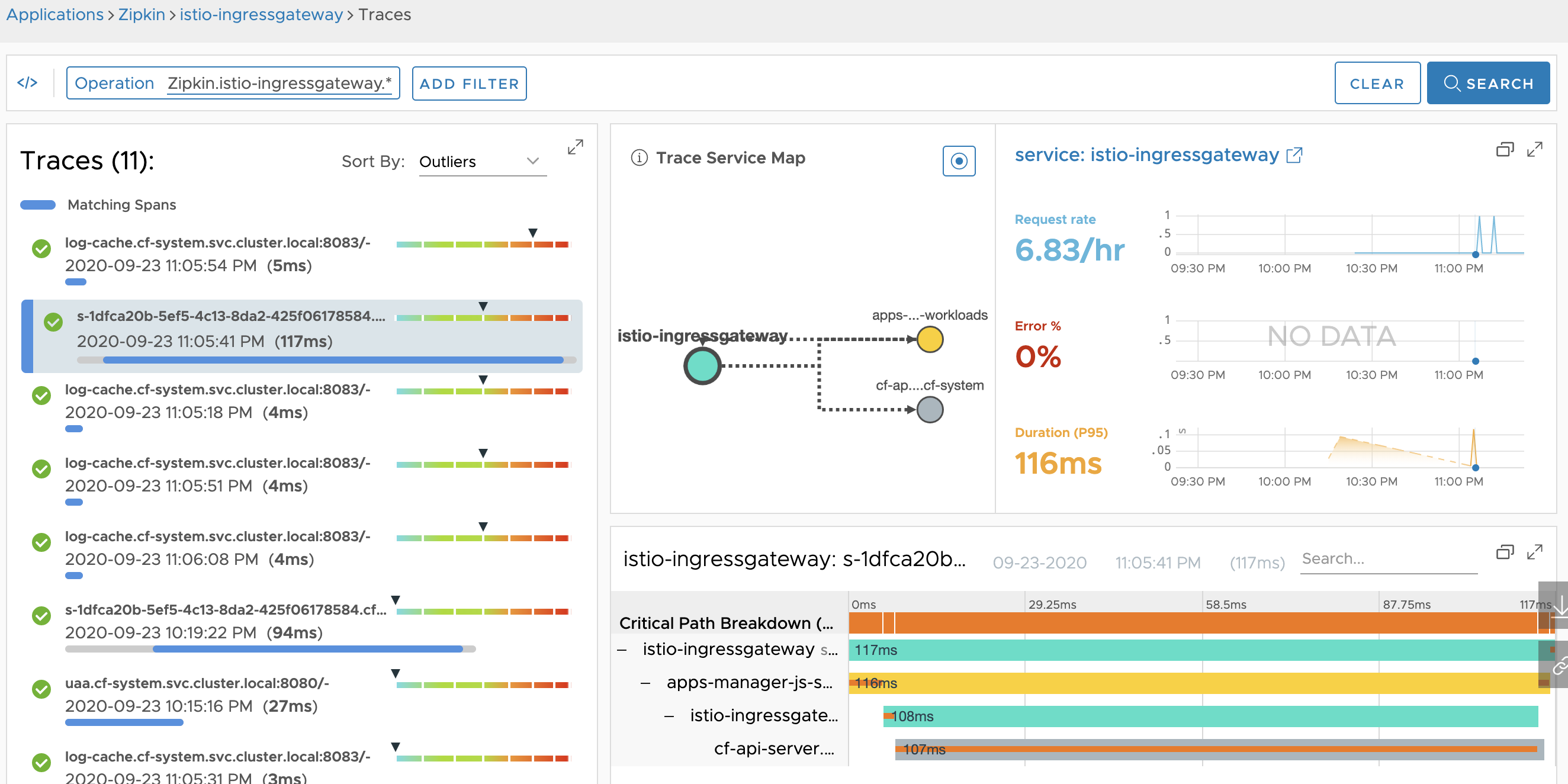
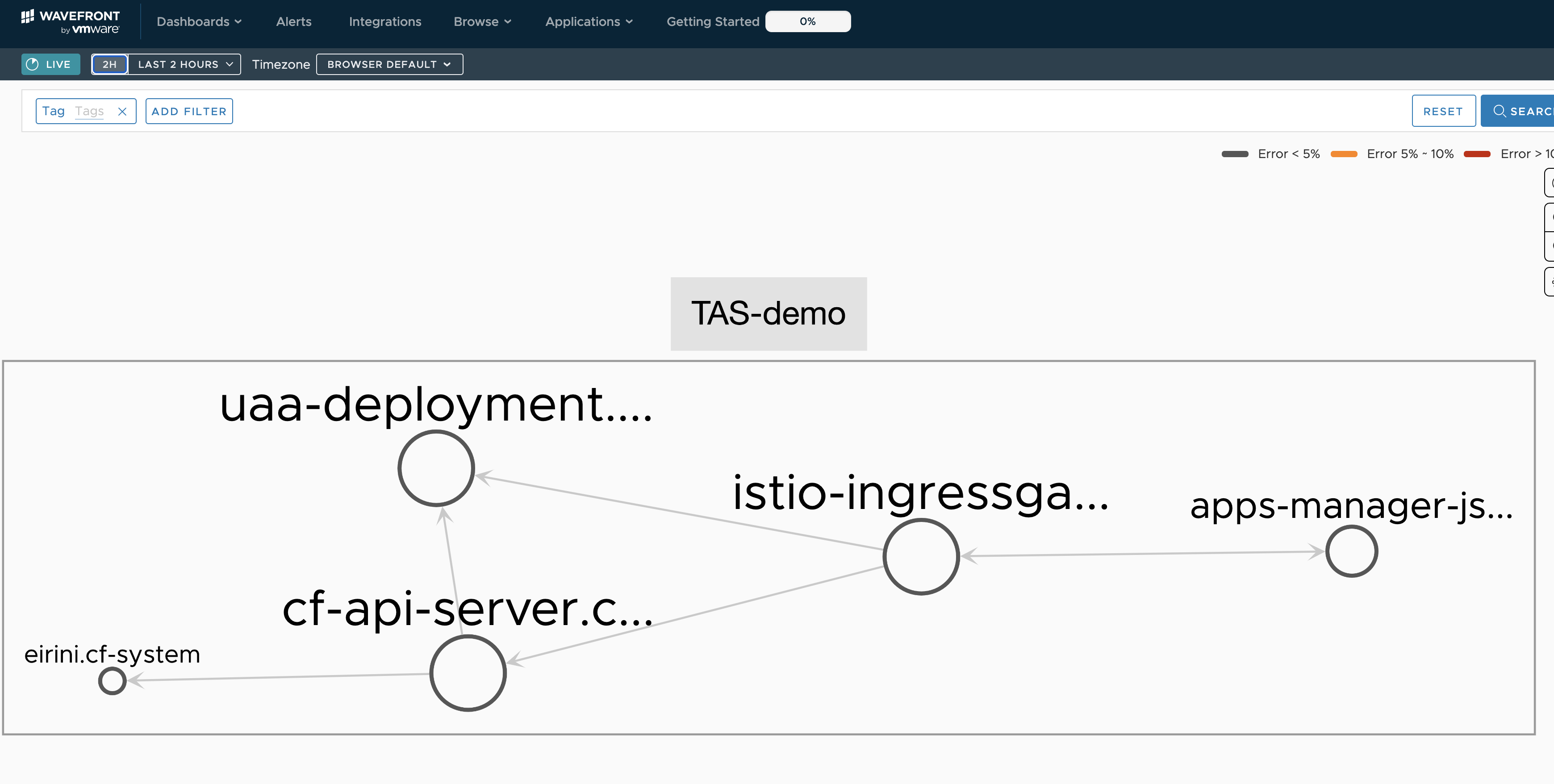
If everything is configured correctly, you can see the traces in Wavefront like this:
Summary
Forwarding TAS4K8S traces to an external system is easy.