Spring AOPでTanzu ObservabilityのDB通信を可視化する
· 8 分で読めます
Spring AOPを使えば、楽にTanzu ObservabilityのDBトレース用のスパン情報が追加できます。
はじめに
この回でTanzu ObservabilityのDB通信可視化の方法を紹介させていただきました。 この時の記事でも紹介しているのですが、DBの通信の可視化を行うにはスパンに特定のタグを追加する必要がございます。
その時、以下のようにコメントしています。
残念なことに「まったくコードをいじらなくてよい」というまではいかないですが、みての通りかなりシンプルにつくれます。私自身がコーディング力が高くないですが。。。もうすこし作り込めば、関数の共通化などそこまで意識することなくスパンの付与ができるかと思います。
ここからしばらく考えたのですが、Spring AOP(Aspect Oriented Programming)を使えば、おもったより楽にできることに気付きました。
Spring AOPとは、Spring上のコードを横断的にみて必要なコードを挿入するコーディング方式です。今回は、まさに全てのSQL系の処理に横断的に入れたいので、合致するケースでした。今回はAOPの勉強も兼ねて、この方法でやってみます。
この記事ではSpring AOPを使い、必要なスパンをどのように網羅的に生成させるのかを紹介します。 対象とするのが、少し複雑な処理をするPetclinicと呼ばれるアプリケーションです。
https://github.com/spring-projects/spring-petclinic
前提
- このシリーズを何となく理解している
準備
以下をインストールした端末を用意してください。
- Java JDK 8+
Oracle JDKに従いJDKをインストールしてください。
ソースコード
以下に公開しています。
https://github.com/mhoshi-vm/spring-petclinic
手順
そこまで複雑な手順が必要ではないですが、ここに記載します。
1. Spring Petclinicをダウンロード
まず当然のことながら、Petclinicをクローンします。
git clone https://github.com/spring-projects/spring-petclinic
2. AOP箇所のコーディング
以下のコードをsrc/main/java/org/springframework/samples/petclinic/PetClinicAspect.javaに保管します。
package org.springframework.samples.petclinic;

import org.aspectj.lang.ProceedingJoinPoint;
import org.aspectj.lang.annotation.Around;
import org.aspectj.lang.annotation.Aspect;
import org.springframework.beans.factory.annotation.Autowired;
import org.springframework.beans.factory.annotation.Value;
import org.springframework.stereotype.Component;

import brave.Span;
import brave.Span.Kind;
import brave.Tracer;

@Aspect
@Component
public class PetClinicAspect {

	@Value("${petclinic.db.type:local}")
	String dbType;

	@Value("${petclinic.db.instance:localDB}")
	String dbInstance;

	@Autowired
	Tracer tracer;


	@Around("execution(* org.springframework.samples.petclinic.*.*Repository+.*(..)))")
	public Object AddSpan(ProceedingJoinPoint joinpoint) throws Throwable {
		Span newSpan = this.tracer.nextSpan().name(joinpoint.getSignature().toString()).start();

		try {
			newSpan.tag("component", "java-jdbc");
			newSpan.kind(Kind.CLIENT);
			newSpan.tag("db.type", dbType);
			newSpan.tag("db.instance", dbInstance);
			Object result = joinpoint.proceed();

			return result;
		}
		finally {
			newSpan.finish();
		}

	}

}
このコードの意味はあとで取り上げます。
3. Tanzu Observability連携をオンにする
基本的には、以下の通りに従います。
https://docs.wavefront.com/wavefront_springboot_tutorial.html
このCommitログがそれに従った結果です。
https://github.com/mhoshi-vm/spring-petclinic/commit/2cf6a34adda9d8aac420ca62229797f42309cf5c
手順としてはこんなものです。簡単である
検証
さっそく検証します。Spring Bootのアプリを起動します。
./mvnw spring-boot:run
起動時に出現する以下のURLを保存しておいてください。
A Wavefront account has been provisioned successfully and the API token has been saved to disk.

To share this account, make sure the following is added to your configuration:

	management.metrics.export.wavefront.api-token=XXXXX
	management.metrics.export.wavefront.uri=https://wavefront.surf

Connect to your Wavefront dashboard using this one-time use link:
https://wavefront.surf/us/XXXXXXX
その後以下のURLにログインします。
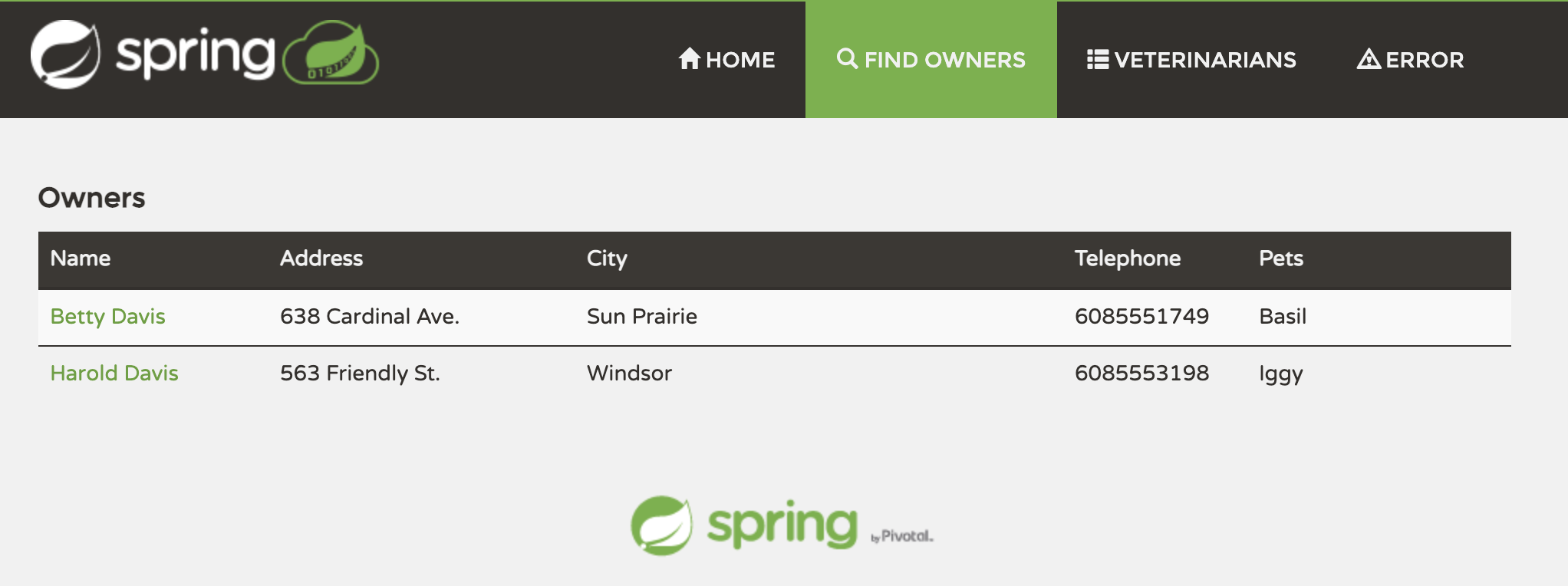
何らかのDB通信を発生させないといけないので、適当にボタンを押し続けます。 一番のおすすめは Find Owners で適当な検索をさせることです。
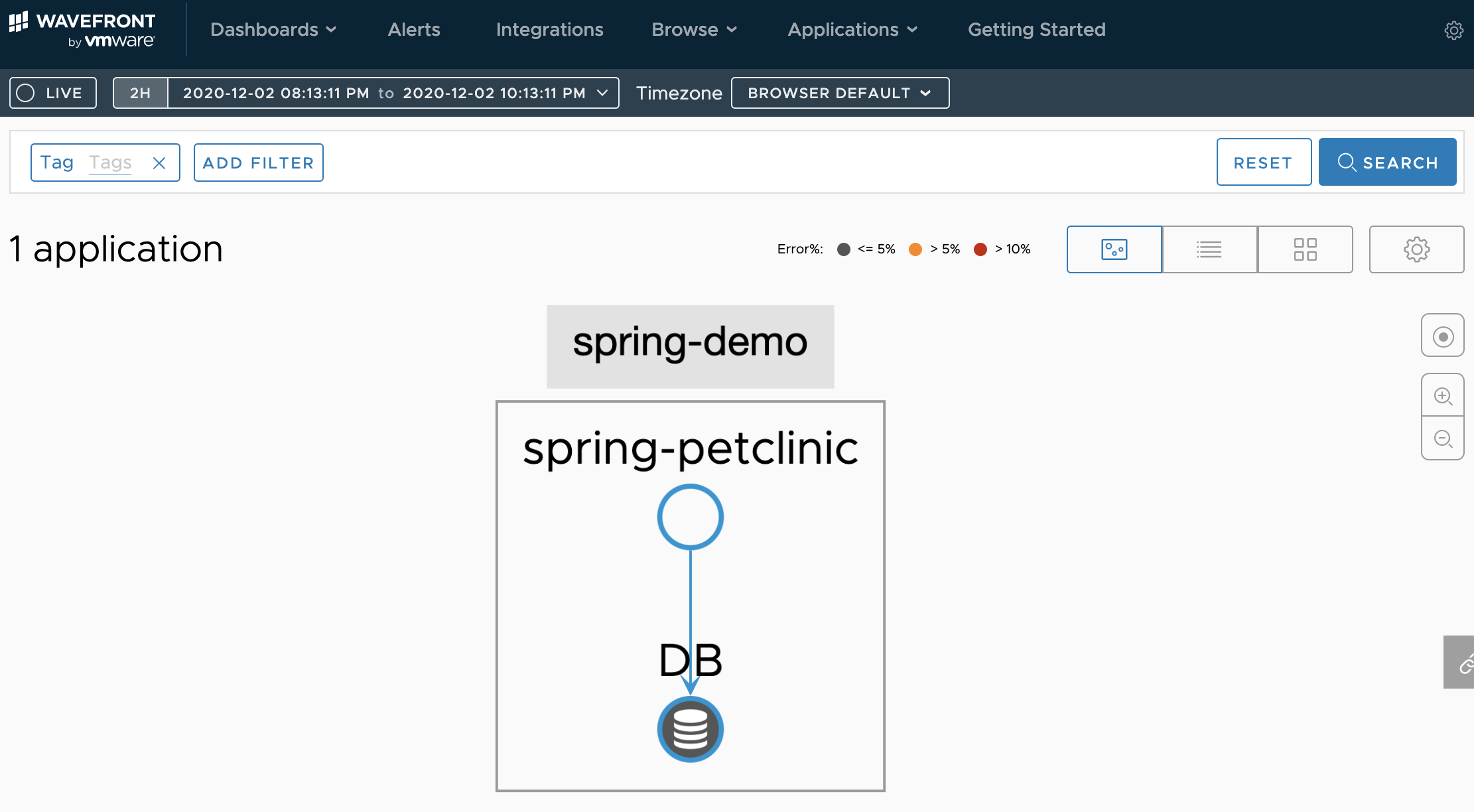
そして、5分ぐらいしたら、先ほど保存したURLにログインしてください。 ログイン後、[Applications] > [Application Status]を選択します。 するとうまくいけば、以下のようになっているはずです。
成功です。いいですね。
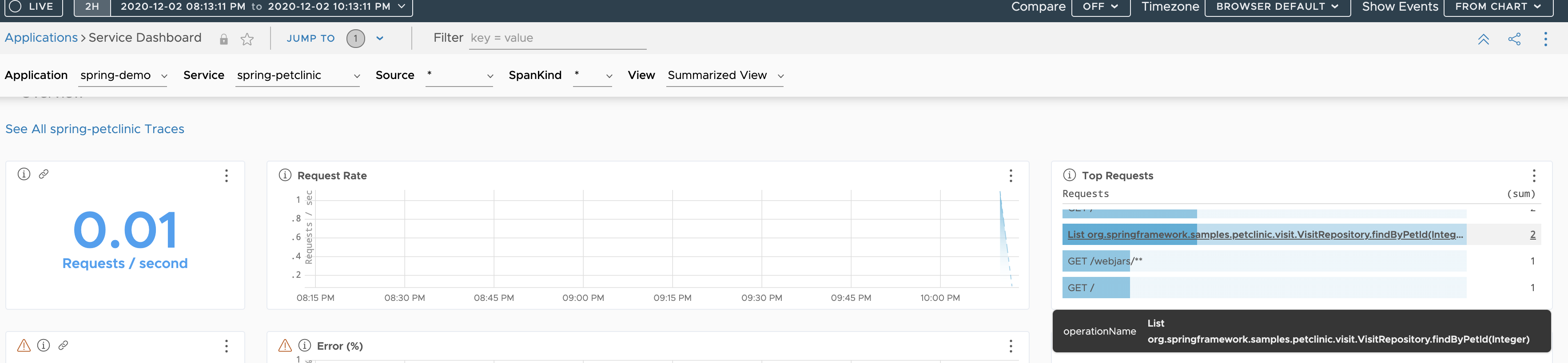
[Application] > [Services Dashboard]を開きます。するとHTTPリクエスト以外に以下のようなJavaのメソッド(あとで解説)がみえてきますが、これがSQLを実行している際のJavaメソッドです。
解説
さて、今回のSpring AOPは何をしていたかですが、ポイントはsrc/main/java/org/springframework/samples/petclinic/PetClinicAspect.javaの以下のコードです。
...
@Around("execution(* org.springframework.samples.petclinic.*.*Repository+.*(..)))")
public Object AddSpan(ProceedingJoinPoint joinpoint) throws Throwable {
	Span newSpan = this.tracer.nextSpan().name(joinpoint.getSignature().toString()).start();
...
ここでの書き方がポイントカットと呼ばれる、どのメソッドに対して処理を挿入するかを記述します。
"execution(* org.springframework.samples.petclinic.*.*Repository+.*(..)))"が検索の箇所です。これは、Springのコードの*Repository.javaのファイルにデータベースへの処理を記述する特性を利用し、それらのファイルの全メソッドを対象にするようにしています。以下のソースコードのことです。
spring-petclinic % find . -name "*Repository.java"
./src/main/java/org/springframework/samples/petclinic/vet/VetRepository.java
./src/main/java/org/springframework/samples/petclinic/owner/PetRepository.java
./src/main/java/org/springframework/samples/petclinic/owner/OwnerRepository.java
./src/main/java/org/springframework/samples/petclinic/visit/VisitRepository.java
@Aroundというアノテーションにより、それらのメソッドが呼び出された前後に処理を追加することができます。今回追加したのは、これらの前後の処理にSpanを生成するためのコードです。
こうすることにより、最小限のコードで、SQL処理に横断的に目的のSpanを生成するためのコードを書くことができました。
まとめ
Tanzu Observabilityの新機能でDBの通信を可視化することできるようになりました。懸念点として、コードをいじらないといけない点でしたが、Spring AOPを使うと、必要なコードもグッと減り、敷居が下がったように思えます。